Beta test

Taktplan

All the date lists from your bands, music schools and universities in one calendar. For conductors, choir directors and teachers working in several places.

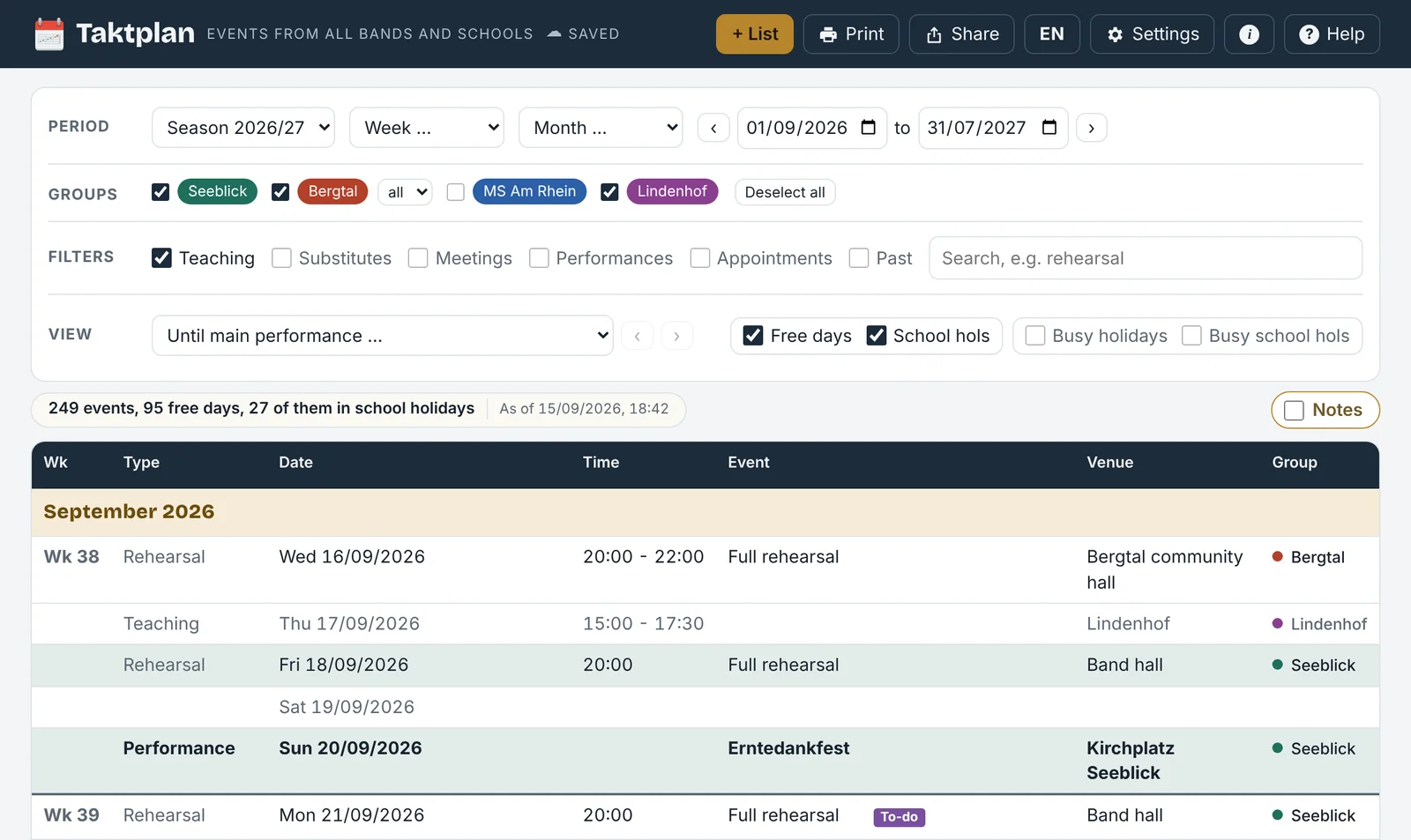
The season starts with date lists: every band sends its rehearsal plan, every music school or university its list of dates, each laid out differently. Taktplan brings them together, takes over only the dates that concern you and shows everything in one list: sorted by date and time, with calendar weeks, school holidays and public holidays. You see clashes before you confirm.

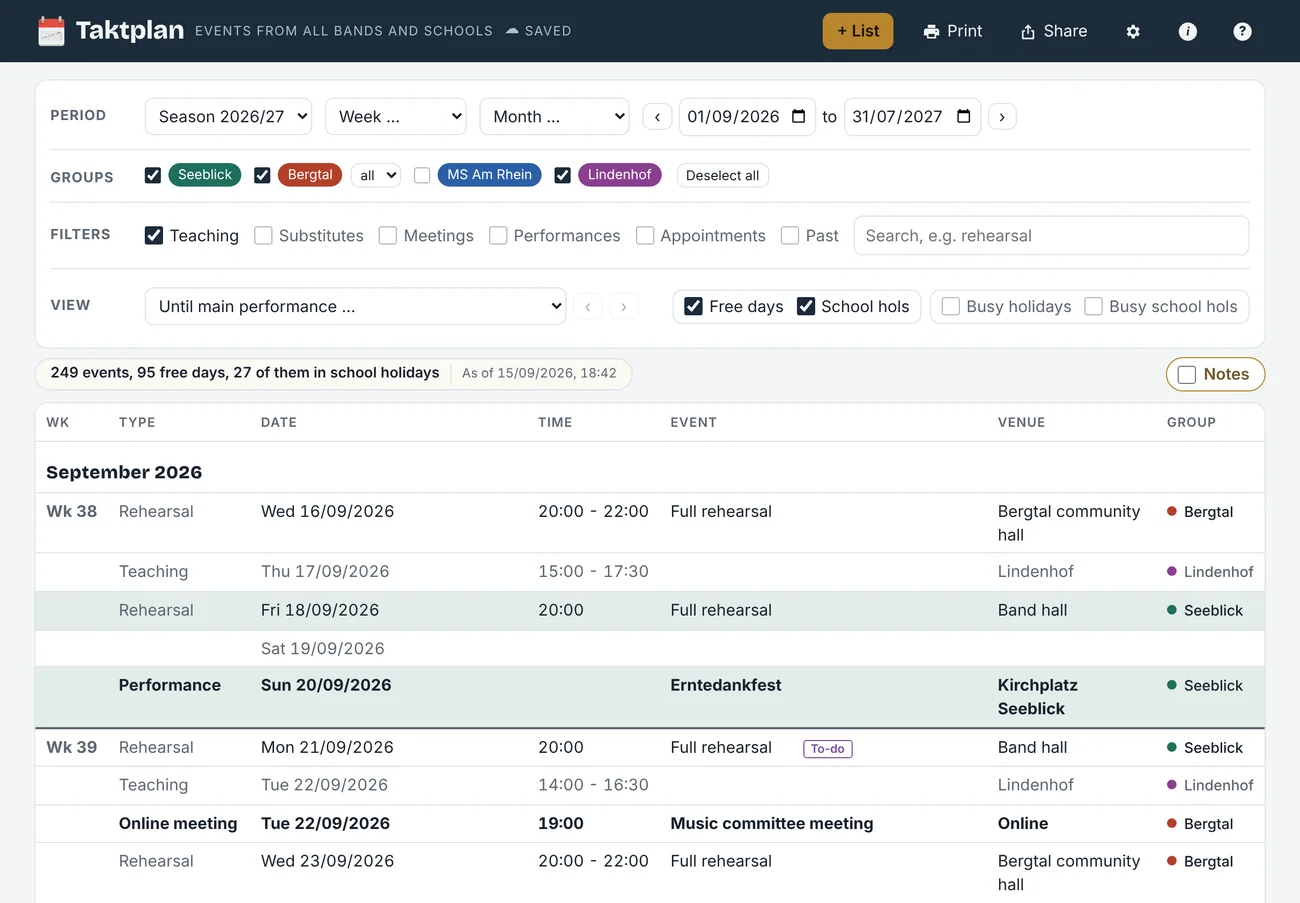
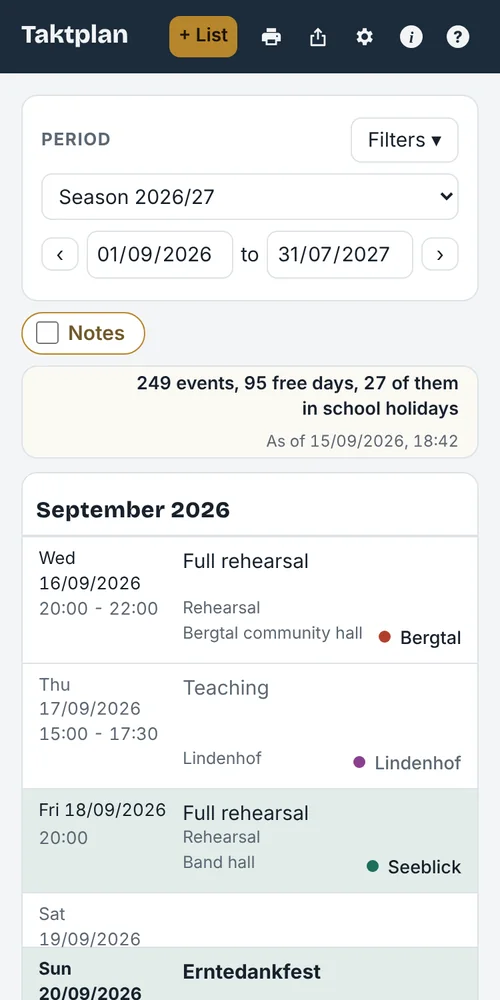
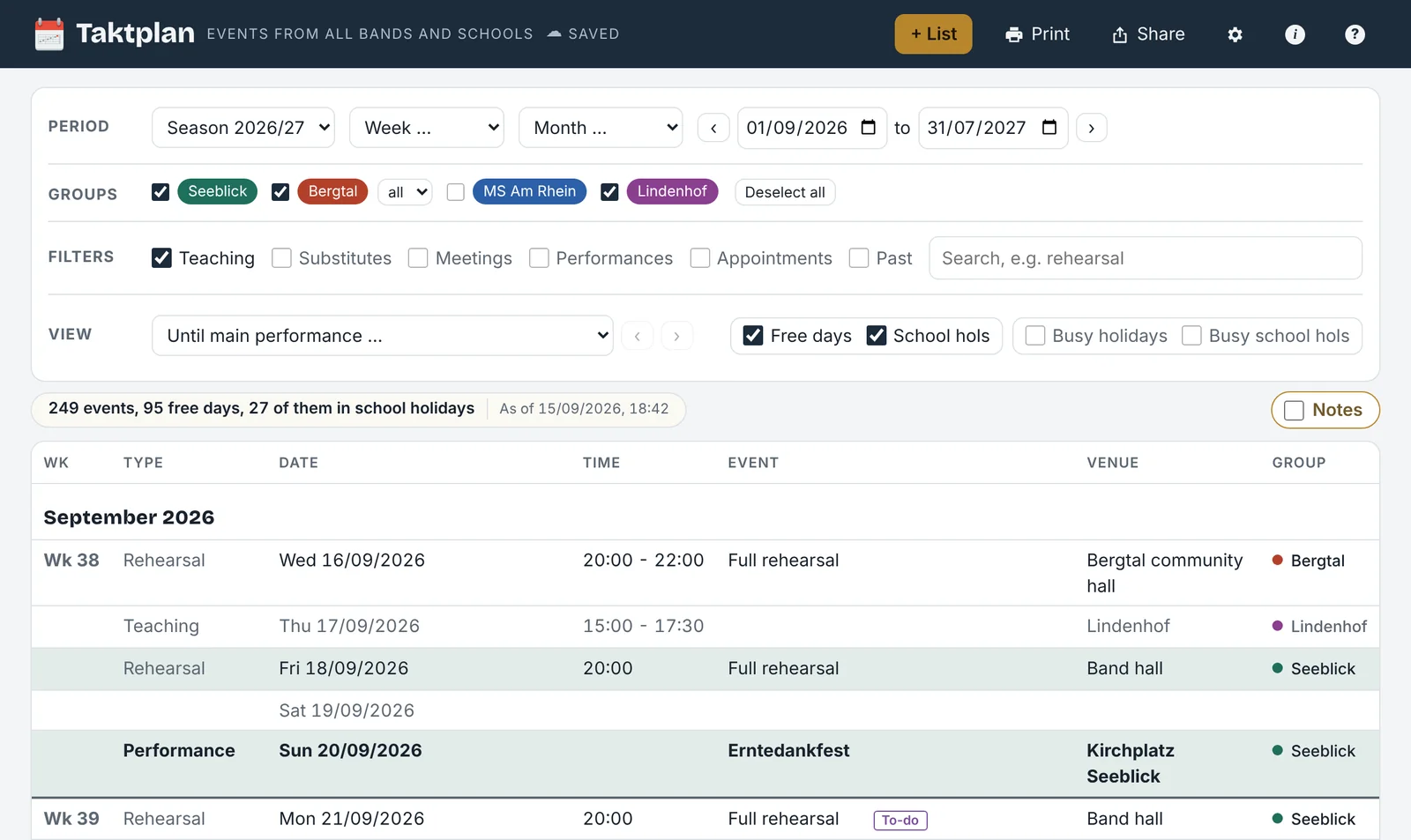
Combined list with dates from four sample lists
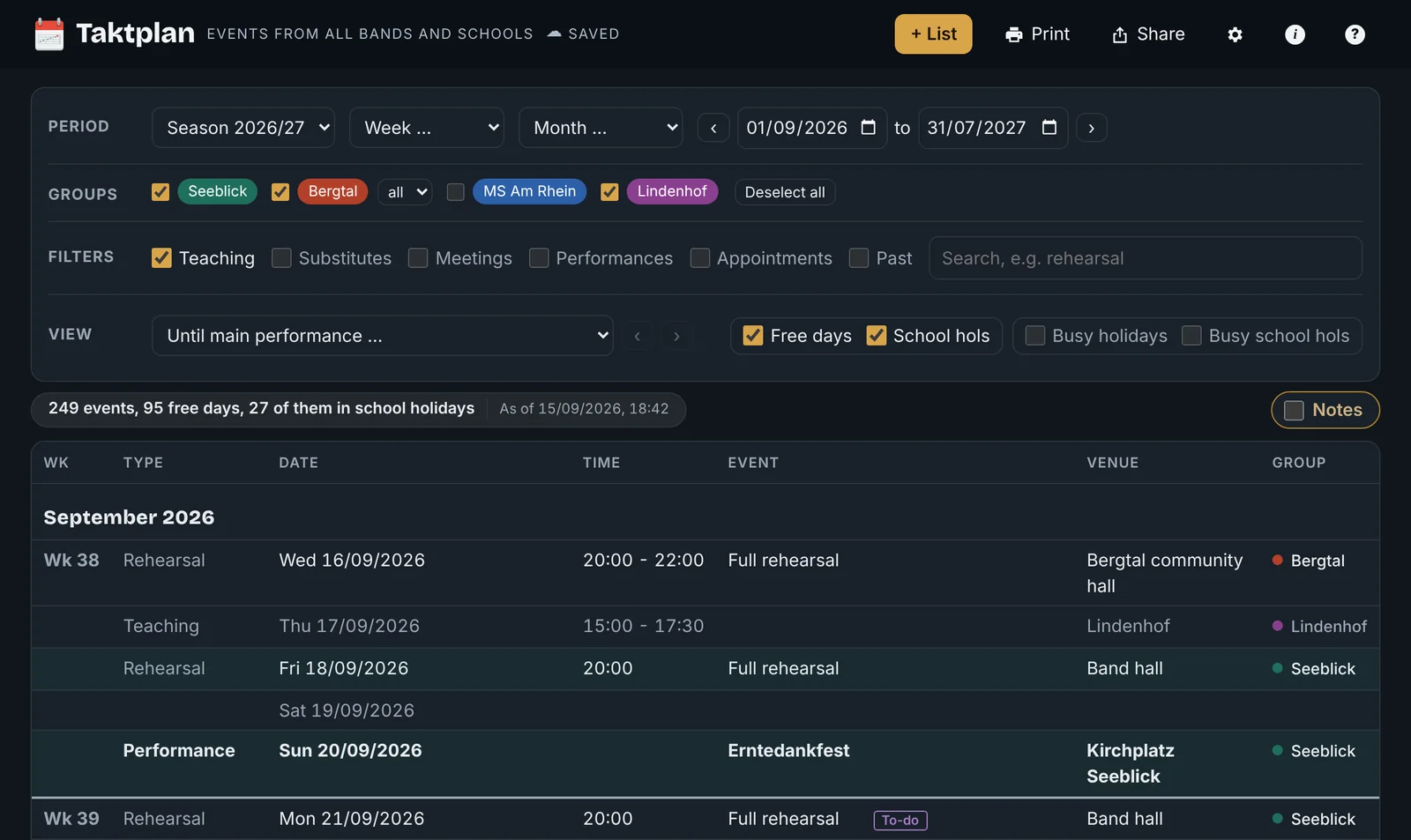
Combined list built from four sample lists. Each band and school has its own colour. The appearance can be chosen in the settings. If your device is set to dark, at night for example, Taktplan switches too. You can also choose always light or always dark. All names and dates are made up.
Features

From upbeat to coda

Taktplan follows your season: in the upbeat you collect the date lists. The score shows all dates at a glance. You hand out the parts: to calendars, website, management and family. On the podium you prepare rehearsals and concerts, and the coda takes stock at the end of the year.

  1. I

    Upbeat

    Date lists and timetable

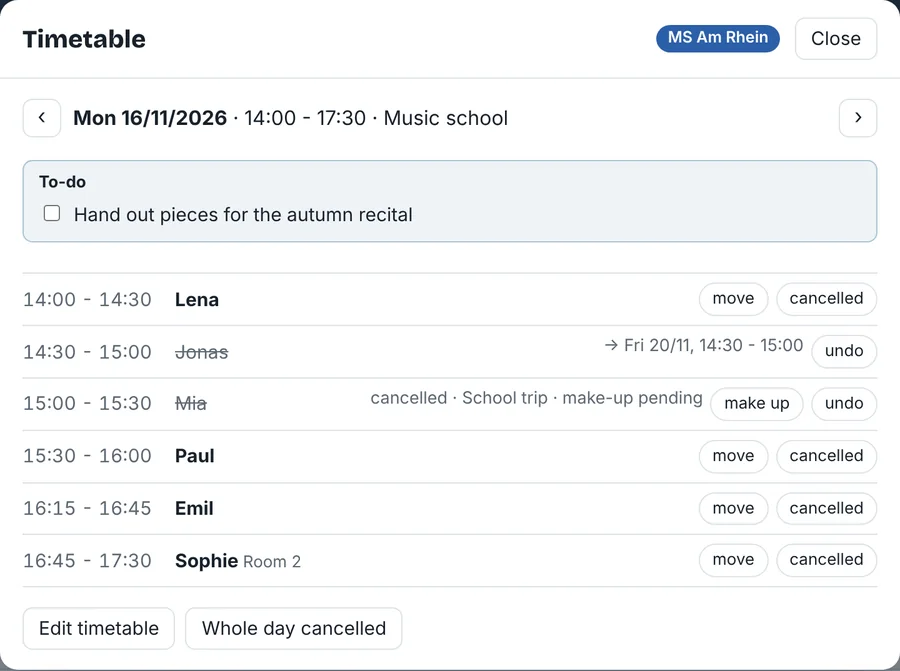
    Every band sends its rehearsal plan, every school its list of dates, each laid out differently. Taktplan reads them as Excel or CSV files, assigns the columns and takes over only the dates that concern you. For teaching, there is also the timetable: who comes on which day and where a make-up lesson fits.

    See the features
  2. II

    Score

    All dates at a glance

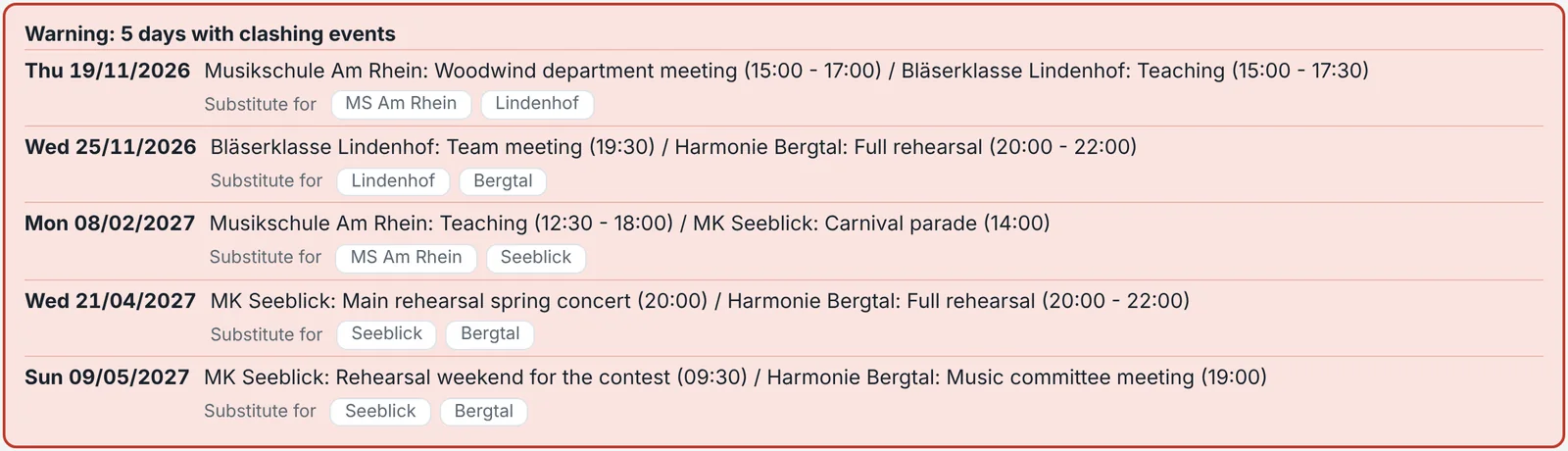
    In a score, all the parts are stacked on top of each other, and you see at once where they clash. In the same way, Taktplan shows all bands and schools in one calendar, with school and public holidays, and flags clashes before you confirm.

    See the features
  3. III

    Parts

    Pass on your dates

    The score is turned into individual parts, and everyone gets only their share: the month as an A4 sheet for the pinboard, a PDF, text to pass on or a calendar file.

    See the features
  4. IV

    On the podium

    Prepare rehearsals and concerts

    Where the conductor works: plan the dramaturgy of concert programmes, all rehearsals until the next performance with a counter, a rehearsal diary for notes after the rehearsal, to-dos with a rehearsal as deadline and annual reminders that show up in good time.

    Prepare digitally, work in pencil: Taktplan does both. Paper is often quicker, needs no Wi-Fi, signal or battery, and leaves room for ideas.

    See the features
  5. V

    Coda

    The annual overviewComing soon

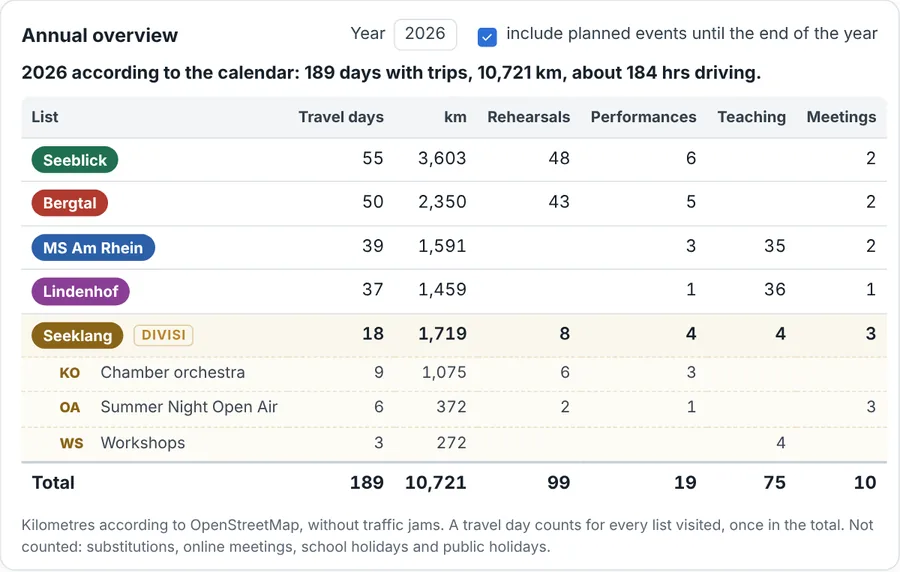
    At the end, everything comes together: rehearsals, performances, journeys and kilometres per group, as a basis for your tax return and travel expense claims.

    See the featuresMore on the annual overview
Clear and simple

The essentials up front

When you open it, you see your dates and the filters, plus the tasks attached to them: to-dos, reminders and rehearsal plans. You switch on further features as soon as you need them.

In the foreground

  • Your dates from all lists
  • Filters by band, school and type of event
  • To-dos and reminders
  • Rehearsal plans and rehearsals until the performance

Switch on when needed

  • Calendar link and wall display
  • Access for management and family
  • Concert dates on your own website
  • Timetable and annual overview
Upbeat · Timetable Coming soon

Who is coming today, and who is coming on Friday this time?

Tap a lesson day to see who comes when. For moved and make-up lessons you quickly find a slot that fits your whole calendar.
Before the new school year, students enter their preferred times themselves via a link, and Taktplan builds the plan from them. Coming soon
More about the timetable
Score · Filters

See only what you need right now

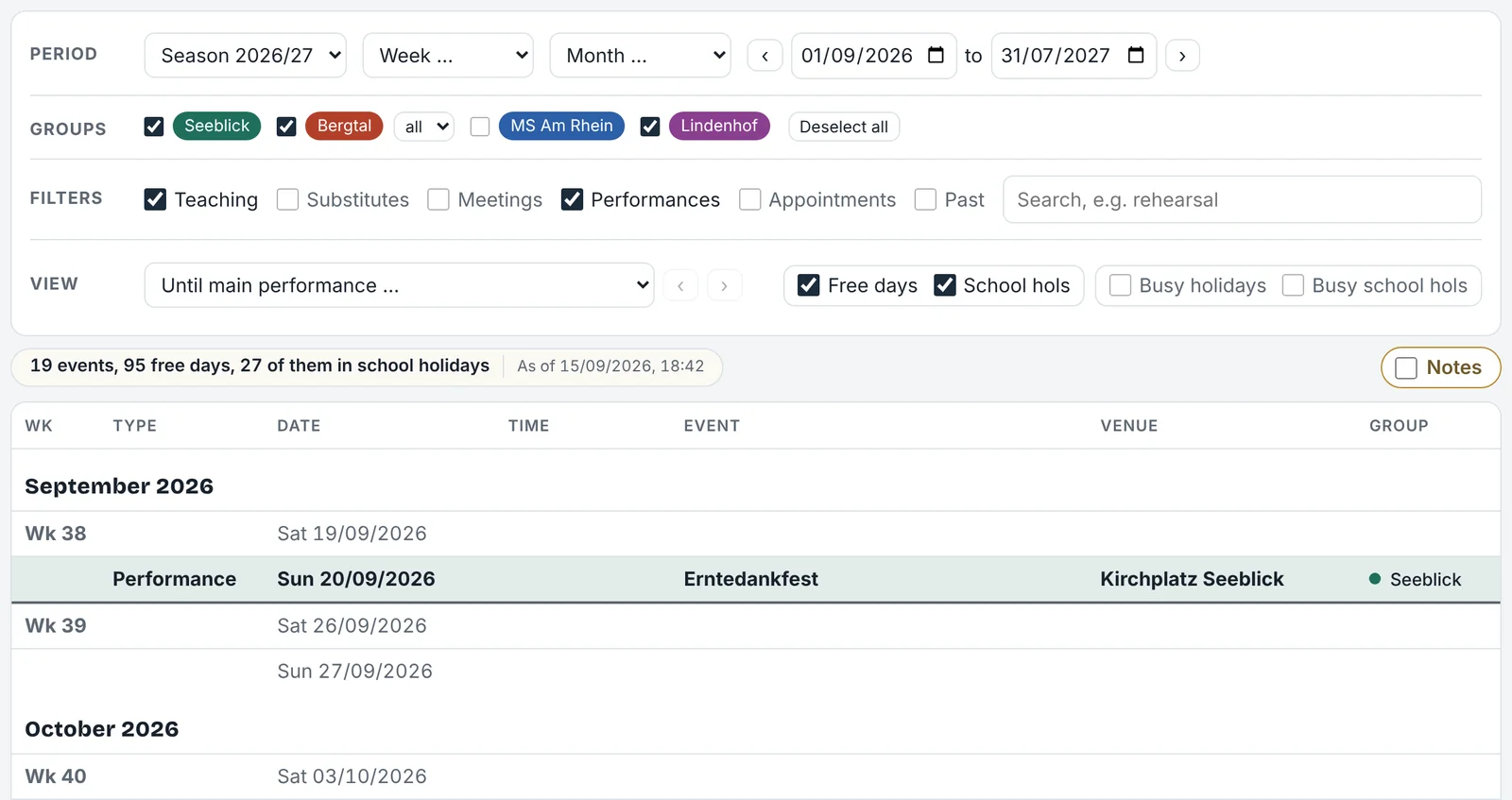
Show or hide each band and school individually. Tick one box to show only performances, only meetings or only substitutes, hide teaching, or search for a keyword.

Choose the period: season, calendar year, previous year, next year, quarter, half-year, week, month or a custom period.

Filter bar with groups and event types
Parts · Access Coming soon Tutti

One calendar, several views

Management, agency and family don't need the same information. With their own logins, each person sees exactly the part you share: a band's management sees its dates and everything else only as “busy”, your family sees, as you choose, only when you are away or all dates just like you. You keep your dates in one place, everyone else is automatically up to date.
Parts · On the wall

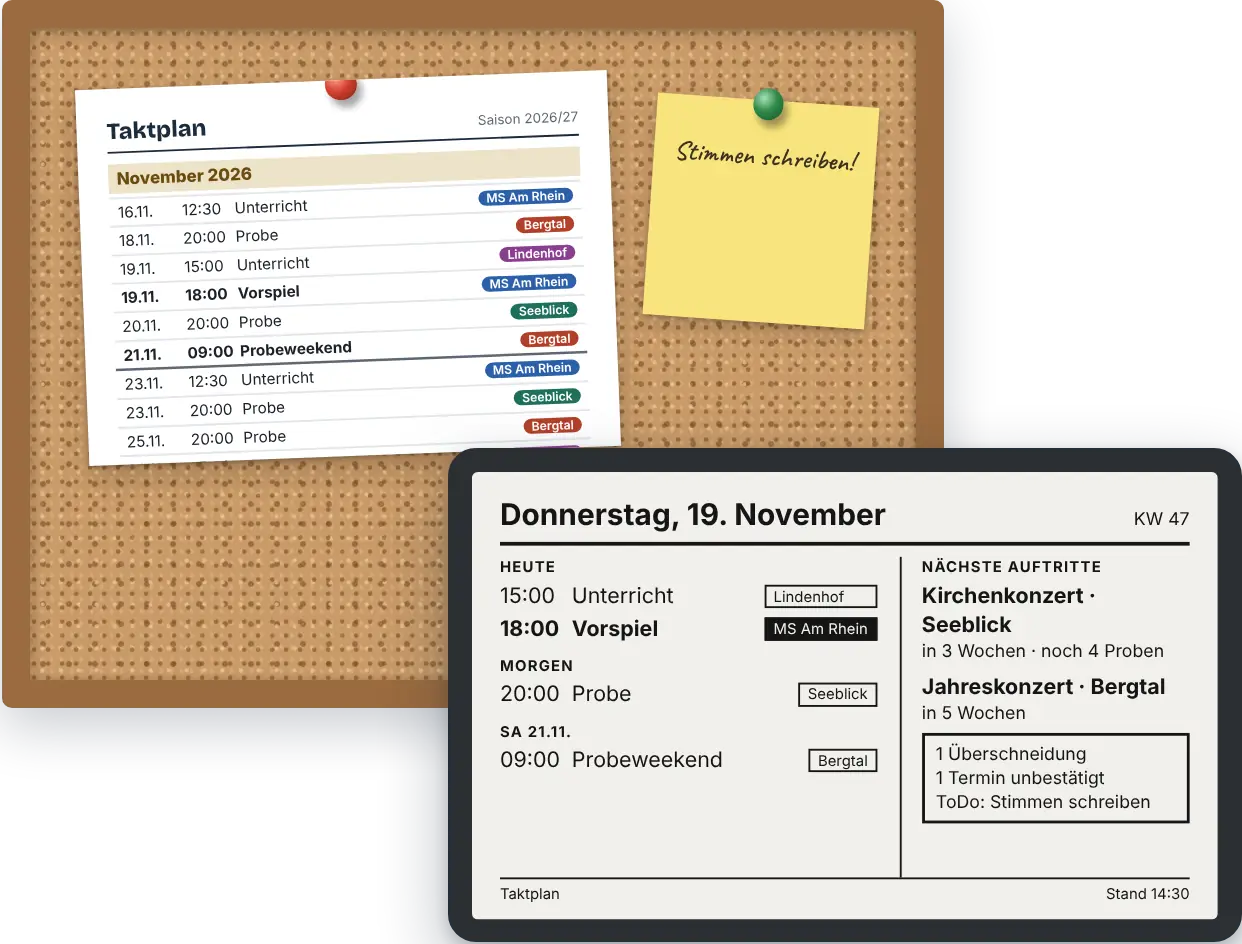
Pinboard or display

Is there a sheet on your pinboard, or a display in the kitchen? Taktplan provides both: the month as an A4 printout and, for wall displays, an excerpt with today, tomorrow and the next performances.

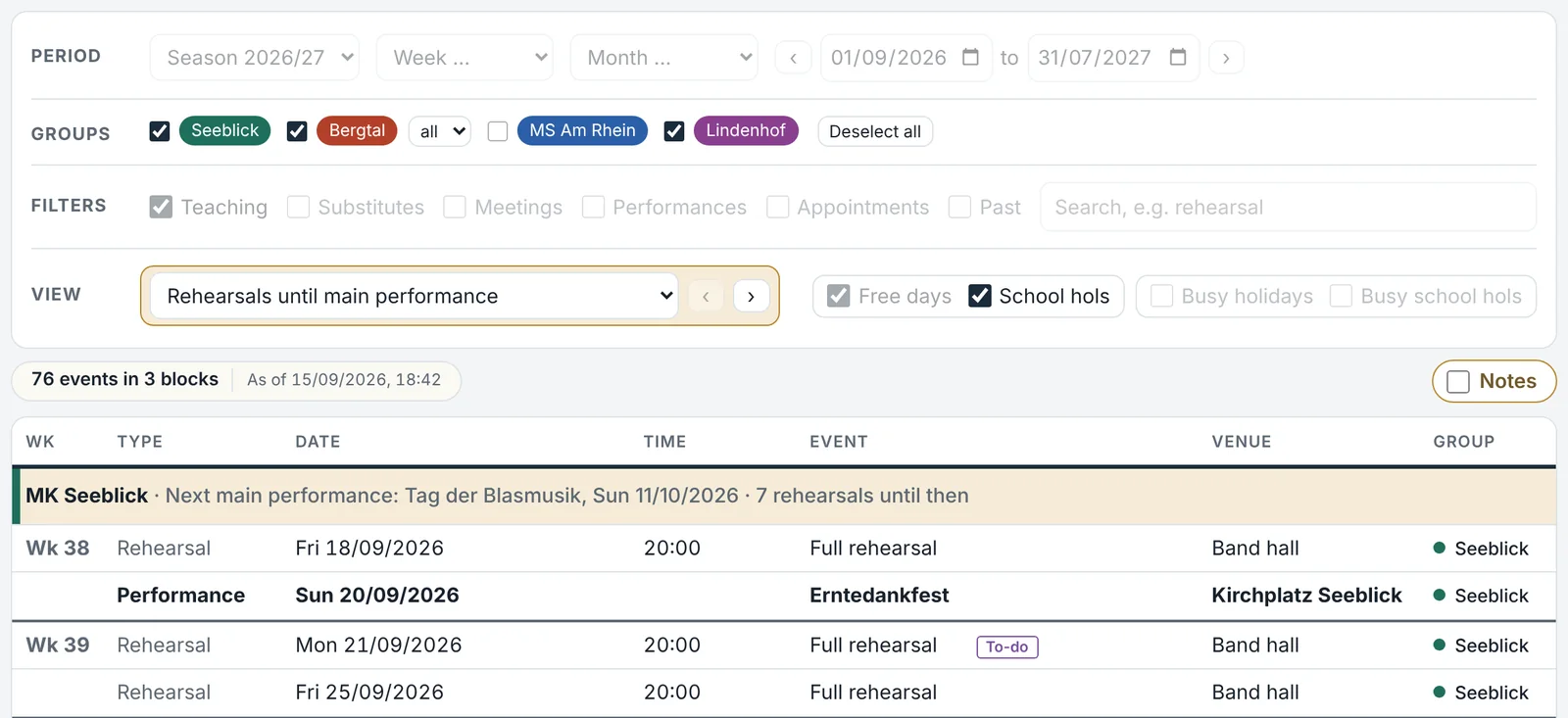
Rehearsals until the next performance view
On the podium · Views

Rehearsals until the next performance

For each band, all rehearsals until the next concert, with a counter like “5 rehearsals to go”. For music schools, the teaching weeks left until the recital.

On the podium · Konzertplan Coming soon Tutti

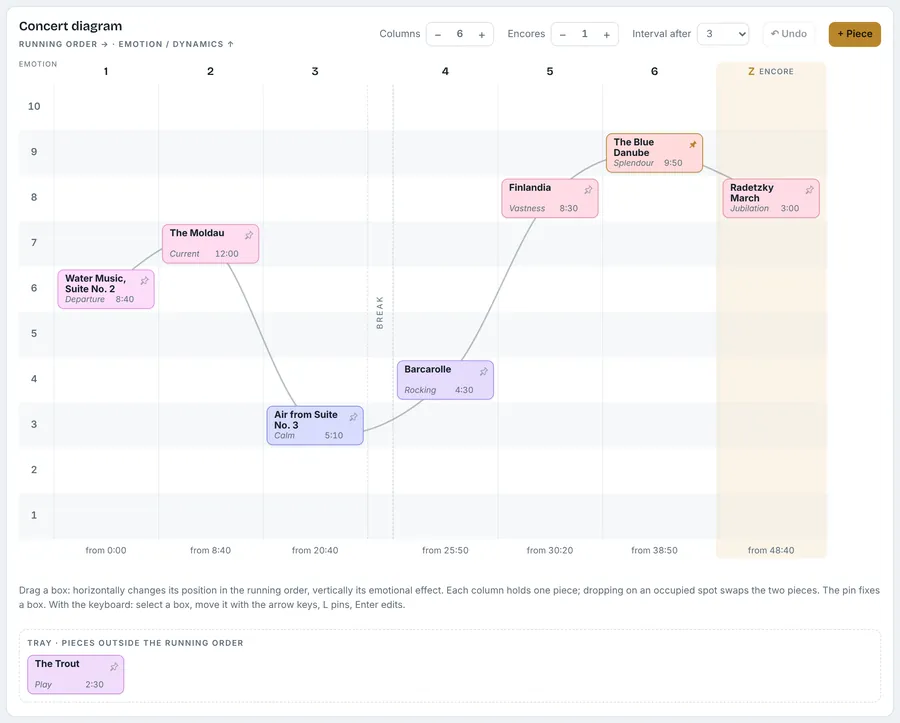
The running order as a dramatic arc

Which piece comes when, where the climax lies, where the interval and encore belong: in the concert diagram you drag the pieces into place. One tap copies the finished order into the performance’s programme.

More about Konzertplan
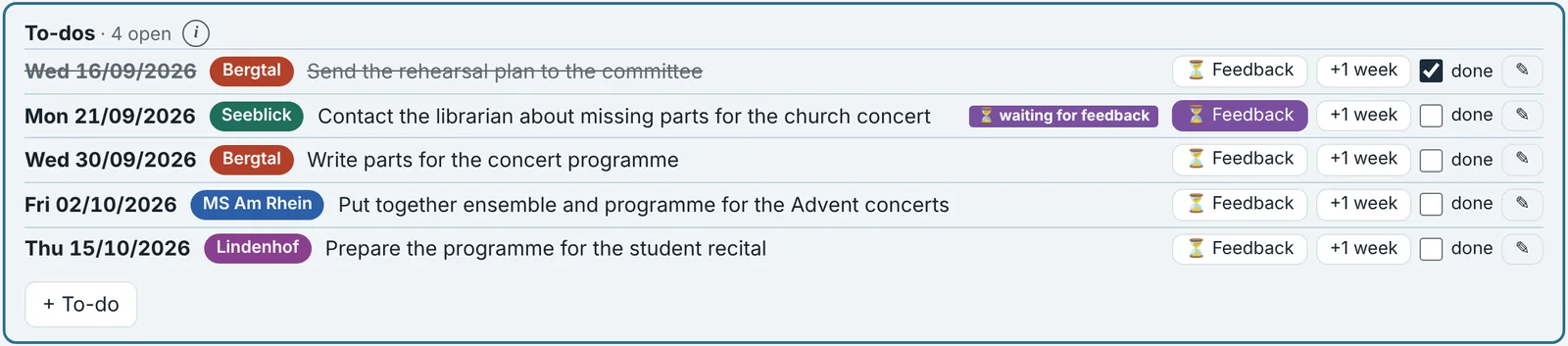
To-do list with rehearsals as deadlines Notice of a clash between two dates
On the podium · Reminders and notices

To-dos linked to rehearsals

Each to-do gets a rehearsal as its deadline and appears there in the list. Annual reminders only show up shortly beforehand. Taktplan flags clashes between two bands by itself.

Band app and Taktplan

Many ensembles, many apps

Konzertmeister, ClubDesk and similar apps work well as long as all members of a band or music school use the same app. But if you lead several ensembles and teach at educational institutions, you often have a different app for each one. That is when it gets confusing.

Taktplan starts earlier: before dates reach the band app, they are agreed. The band sends date lists, the leader confirms or asks for changes, the band clarifies internally. This is exactly the phase in which Taktplan shows clashes, while they are still easy to change.

Band app

  • for one band or music school
  • used by all members, e.g. to accept or decline
  • each with its own login and its own calendar

Taktplan

  • for you as the leader, across all ensembles and educational institutions
  • all dates in one calendar, clashes at a glance
  • plus rehearsal planning and to-dos; the band app stays as it is
Who it's for

For everyone who makes music in several places

Conductors and choir directors

Several bands, choirs or orchestras, rehearsals and concerts without clashes.

Music teachers

Teaching at one or more music schools, recitals, staff meetings, school holidays by region.

University lecturers

Classes and exams alongside work with your own ensembles.

Orchestral musicians

The orchestra schedule together with extra work, chamber music and teaching.

Freelance musicians

Projects and extra work from many sources, plus your own dates as a separate list.

Most people are several of these at once. That is exactly when Taktplan pays off.

Beta version: Taktplan is still being tested. Features and appearance may change, errors are possible. Taktplan reads PDF and Word files only with ✦ Claude (Tutti). All screenshots show made-up sample data.
Cost

Simple and clear

Free during the beta test, then €10 for the first year. In the final version two editions as a one-year access: Solo €24 or Tutti €49, with a 30-day free trial first. All prices incl. VAT. For individual users without automatic renewal. If you took part in the beta, you pay half in the first year.

Pricing and trial

Join the beta test

A short form is all it takes, or write to uns. You'll get a user name and password and can start right away with your own date lists.